
Castle APK Old Versions — Version History & Previous Downloads
Should you install the latest Castle APK or an older version? For most people, the answer is simple: install the latest version (v2.7.2, September 2026). But there are legitimate reasons to run an older build — an aging phone stuck on an old Android version, a bug in the newest release, or a device where the latest build simply misbehaves. This page keeps a running version history of Castle APK Old Versions so you can find the right build for your situation.
Quick Navigation
Castle APK Old Versions: Full Version History
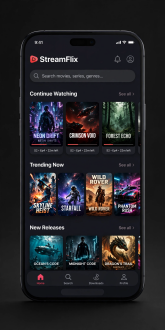
The app keeps evolving — here’s what’s changed across recent Castle APK Old Versions.
| Version | Release Date | Approx. Size | Notes |
| v2.7.2 (latest) | September 2026 | ~47 MB | Bug fixes, server updates, UI tweaks |
| v2.7.1 | September 2026 | ~47 MB | Hotfix for playback stability issues |
| v2.7.0 | August 2026 | ~46 MB | New servers added, player improvements |
| v2.6.9 | July 2026 | ~46 MB | Minor fixes, category browsing tweaks |
| v2.6.7 | June 2026 | ~45 MB | Sports section refresh, crash fixes |
| v2.6.0 | April 2026 | ~44 MB | UI overhaul, faster search |
| v2.5.9 | Late 2025 | ~43 MB | Stability release |
| v2.5.x | 2025 | ~40–43 MB | Earlier 2025 builds |
Dates and sizes are based on the app’s reported release history; minor point releases sometimes surface quietly without a public changelog.
For what’s new in the current release, see our Castle APK update guide.
Download Old Castle APK Versions
The builds below are older releases kept for the situations covered on this page — compatibility, a bug in the latest build, or a preferred earlier layout. For most people, the current release remains the right choice.
When Should You Use an Old Version?
1. Your device runs an older Android version
Castle APK requires Android 5.0+, and newer builds sometimes lean on newer system features. If v2.7.2 crashes on an old phone or tablet that can’t be upgraded, stepping back to v2.6.x or v2.5.x may run more reliably.
2. The latest version has a bug on your device
It happens: a new release fixes things for most users and breaks something for a few. If v2.7.2 misbehaves on your specific device while an older build worked fine, rolling back is reasonable — then update again once a hotfix lands.
3. You prefer a previous interface
The v2.6.0 UI overhaul changed navigation significantly. If you strongly prefer the older layout, a v2.5.x build keeps it — though you’ll miss newer servers and fixes.
When You Should NOT Use an Old Version
- Just because it’s “lighter.” The size difference between v2.5.x and v2.7.2 is only a few MB — negligible on any modern phone.
- For security. Older builds don’t receive fixes. Don’t run an old version indefinitely; treat it as a temporary workaround.
- To avoid updates. If the latest version works on your device, stay current — streaming apps depend on working servers, and old builds lose server compatibility over time.
How to Install an Older Version Safely
- Uninstall the current version first (if installed) — or keep it and install the older build only if you know they can coexist, which they usually can’t.
- Download from a trusted source. This is the critical step: old-version APKs are a favorite disguise for malware. Only use reputable APK archives, and never install a build that asks for suspicious extra permissions.
- Verify the file size. Cross-check against the table above — a v2.6.7 file that’s 120 MB instead of ~45 MB is a red flag.
- Scan the file with your phone’s security scanner, or upload it to VirusTotal before installing.
- Disable “install unknown apps” again after you’re done, to keep your device hardened — see Google’s official guide to this setting.
Note: downgrading usually wipes your local favorites and watchlist (there’s no account to sync them), so an old version is a fresh start.
Old Castle APK Versions vs the Latest: Quick Comparison
Pick the build that fits your device.
| Latest (v2.7.2) | Older builds | |
| Server compatibility | Best — current servers | Degrades over time as servers change |
| Bug fixes | All current fixes | Frozen at release |
| New features | Yes | No |
| Device compatibility | May need newer Android | Better on very old devices |
| Recommendation | Default choice | Temporary workaround only |
FAQs About Castle APK Old Versions
What is the latest Castle APK version?
v2.7.2, released September 2026 (~47 MB). See the update guide for the full changelog and how to update.
Is it safe to download old versions of Castle APK?
It can be, if you download from a trusted source and verify the file. Old builds carry more risk than the latest — fake “old version” APKs are a known malware trick, and outdated builds miss security fixes.
Will I lose my favorites if I downgrade?
Almost certainly yes. Castle APK has no account system, so favorites live in the app’s local data, which is removed on uninstall.
Which old version is best for Android 5.0–6.0 devices?
Builds from the v2.5.x–v2.6.x era tend to be the most forgiving on very old devices. Try v2.6.0 first and step back only if needed.
Can I keep auto-update off and stay on an old version?
There’s no forced auto-update, so yes — but expect streams to break eventually as servers evolve. Check back for newer releases periodically.
Do old versions still get new movies and shows?
Partially. Content comes from servers, and older app builds may lose compatibility with newer server endpoints over time. If streams stop loading, that’s your sign to update.