
Castle APK for iOS — iPhone & iPad Install Guide (2026)
There is no official Castle APK for iOS, and you cannot install an Android APK file on iOS — the two systems use completely different app formats. Castle APK is built for Android, and Apple does not allow it on the App Store. The only unofficial route is sideloading: installing the app file onto your iPhone with tools like AltStore or Sideloadly using your own Apple ID signature. It works, but it comes with real caveats — including the well-known 7-day signing limit on free Apple IDs.
Quick Navigation
Castle APK for iOS: Can You Install It on iPhone?
Directly? No. An APK is an Android package — iOS cannot open or run it, period. Anyone advertising a one-tap “Castle APK for iOS download” is misleading you. What is possible is sideloading an iOS-compatible build (IPA format) of the app onto your iPhone using a computer, which is an unofficial workaround — not an official release from the Castle Team.
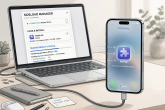
If that sounds like too much hassle, the simplest honest answer is that Castle APK is best experienced on Android or on a Windows PC via an emulator — see our Castle APK for PC guide.
Your Options for Castle APK on iOS at a Glance

| Option | Difficulty | Cost | Signing limit |
| AltStore sideloading | Medium | Free | 7 days (auto-refresh on same Wi-Fi) |
| Sideloadly sideloading | Medium | Free | 7 days (manual re-sign via PC) |
| Paid signing service | Easy | Paid, third-party | Longer, but trust concerns |
| Android emulator on PC | Easy | Free | None — runs natively in emulator |
Only the first two are covered here, because paid signing services introduce trust and account-security concerns we can’t responsibly recommend.
What Is Sideloading? The Unofficial Way to Get Castle APK for iOS
Sideloading means installing an app on your iPhone without going through the App Store. Apple’s system allows developers to install their own apps on their own devices for testing — tools like AltStore and Sideloadly use this mechanism with your personal Apple ID.
Important: this is an unofficial method. The Castle Team does not publish an Castle APK for iOS build through Apple channels, so any IPA file you find comes from third-party sources. That makes source trustworthiness doubly important — see the risks section below before proceeding.
You’ll need:
- An iPhone or iPad running a recent iOS version
- A Windows PC or Mac (for the initial setup)
- Your Apple ID credentials (used only to sign the app)
- A stable Wi-Fi connection (for AltStore refreshes)
- An IPA file of the app from a source you trust
Step-by-Step: Sideload Castle APK for iOS via AltStore
AltStore is the best-known free sideloading tool for Castle APK for iOS installs. Once set up, it can automatically refresh your app’s signature over Wi-Fi, which handles the 7-day limit with minimal fuss.
Step 1 — Install AltServer on your computer
- Download AltServer (Windows or Mac) from the official AltStore website.
- Install and launch it. On Windows, it runs in the system tray — make sure iTunes (from Apple’s site, not the Microsoft Store version) and iCloud are installed, as AltServer depends on them.
Step 2 — Connect your iPhone
- Connect your iPhone to the computer with a USB cable.
- Trust the computer on your iPhone when prompted.
- In iTunes, enable Wi-Fi sync for your device (this is what allows wireless refreshes later).
Step 3 — Install AltStore on your iPhone
- Click the AltServer icon in the system tray/menu bar → Install AltStore → select your iPhone.
- Enter your Apple ID and password when asked. (AltStore sends these to Apple for signing only — but if you’re uncomfortable, use a secondary Apple ID.)
- AltStore appears on your iPhone’s home screen.
Step 4 — Trust the developer profile
- On your iPhone, go to Settings → General → VPN & Device Management — see Apple’s official guide if you get stuck.
- Tap your Apple ID under Developer App and tap Trust.
Step 5 — Sideload the app
- Obtain the app’s IPA file from a source you trust and transfer it to your iPhone (via AirDrop, Files, or download in Safari).
- Open AltStore, go to the My Apps tab, tap +, and select the IPA file.
- Enter your Apple ID again if prompted. AltStore signs and installs the app — this takes a minute or two.
- The app icon appears on your home screen. Open it and grant the permissions it requests.
Step-by-Step: Sideload Castle APK for iOS via Sideloadly
Sideloadly is a popular alternative that some users find simpler for one-off Castle APK for iOS installs.
Step 1 — Download Sideloadly
Download Sideloadly for Windows or macOS from its official website and install it.
Step 2 — Connect your iPhone
Connect via USB, trust the computer on the iPhone, and make sure the device appears in Sideloadly’s device dropdown.
Step 3 — Load the IPA
- Drag your IPA file into Sideloadly (or click the IPA icon to browse for it).
- Enter your Apple ID in the Apple Account field.
Step 4 — Install
- Click Start. Sideloadly signs the IPA with your Apple ID and installs it.
- Enter your Apple ID password if prompted (consider app-specific passwords / a secondary ID as above).
- When it finishes, trust the developer profile under Settings → General → VPN & Device Management, as with AltStore.
Step 5 — Launch the app
Open the app from your home screen. It runs like any installed app until the 7-day signature expires.
AltStore vs Sideloadly for Castle APK on iOS: Which Should You Pick?
| Factor | AltStore | Sideloadly |
| Setup complexity | Higher (AltServer + iTunes + iCloud on Windows) | Lower (single app) |
| 7-day refresh | Automatic over Wi-Fi | Manual via PC |
| Works on Mac & Windows | Yes | Yes |
| Best for | Long-term use, set-and-forget | Quick one-off installs |
Our take: if you plan to keep the app for months, AltStore’s automatic refresh is worth the fiddlier setup. If you just want to try it, Sideloadly gets you there faster.
The 7-Day Signing Refresh for Castle APK on iPhone, Explained
This is the catch every iOS sideloading guide must mention honestly:
- Apps signed with a free Apple ID expire after 7 days. After that, the app won’t open until you re-sign it.
- AltStore handles this gracefully: if your iPhone and computer are on the same Wi-Fi network, AltServer refreshes the signature automatically in the background. You barely notice it.
- Sideloadly requires a manual refresh: reconnect to your PC and re-run the install every 7 days.
- Paid Apple Developer accounts ($99/year) get 1-year signatures, but that’s overkill for sideloading one streaming app.
If the app suddenly “won’t open” a week after installing, this is almost certainly why — just refresh the signature.
What about the EU’s alternative app stores?
Since the EU’s Digital Markets Act, iPhones in Europe can install alternative app marketplaces. In theory, a third-party marketplace could one day host a Castle APK for iOS build — but as of September 2026, no reputable marketplace carries one, and the same trust problem applies: any build would still be unofficial and unverified. Sideloading via AltStore or Sideloadly remains the only practical route, with identical caveats.
Risks and Honest Caveats of Castle APK for iOS
Let’s be direct about the downsides:
- No official iOS build exists. The Castle Team ships an Android APK only. Any iOS file is repackaged by third parties, so you cannot verify it’s untampered.
- Malware risk. Sideloaded IPAs from shady sites are a classic malware vector. Only use sources with a long, clean reputation — and be skeptical of sites pushing “one-click iOS downloads.”
- Apple ID exposure. Sideloading tools need your Apple ID to sign apps. Use a secondary Apple ID and, where possible, an app-specific password rather than your main credentials.
- No automatic updates. When Castle APK releases a new version — see our latest version guide — you’ll need to manually re-sideload the new IPA.
- Revokes happen. Apple occasionally revokes abused signing certificates; if your install stops working, you’ll need to re-sign.
- Legal considerations. Castle APK is a third-party streaming app. Streaming copyrighted content may be restricted where you live — check your local laws regardless of platform.
Keeping Castle APK for iOS Updated
Because there’s no App Store listing and no in-app updater reaching your sideloaded copy reliably:
- Watch for new version announcements (the current Android release is v2.7.2, September 2026).
- Obtain the new IPA from the same trusted source you used before.
- Re-sideload it over the existing install with AltStore or Sideloadly — your local data and favorites are usually preserved, but back up anything important first.
- If the app misbehaves after an update, delete and reinstall fresh (you’ll lose local favorites, since there’s no account sync).
For how updates work on the official Android build, see our how to update Castle APK guide — the changelog details apply, even if the install mechanics differ on Castle APK for iOS.
FAQs About Castle APK for iOS
Is there an official Castle APK for iPhone?
No. Castle APK is Android-only and is not on the App Store. Any “iOS version” is an unofficial sideloaded build.
Can I install the APK file directly on iOS?
No. iOS cannot open APK files at all. Sideloading uses IPA-format files, not APKs.
Is sideloading Castle APK on iPhone safe?
It’s unofficial and carries risks: no verified official build, potential malware in third-party IPAs, and Apple ID exposure during signing. Use trusted sources, a secondary Apple ID, and understand the trade-offs.
Why does the app stop opening after 7 days?
Free Apple ID signatures expire after 7 days. Refresh with AltStore (automatic over Wi-Fi) or re-sign manually with Sideloadly.
Do I need to jailbreak my iPhone?
No. AltStore and Sideloadly work on stock, non-jailbroken iPhones.
Will sideloading void my warranty or get my Apple ID banned?
Sideloading with your own Apple ID is a legitimate developer feature; bans for personal sideloading are essentially unheard of. It does not void your hardware warranty.
Can I get Castle APK on iPad the same way?
Yes — the AltStore/Sideloadly process is identical on iPad.
Is there an easier way to watch on a big screen?
Yes: run Castle APK on a Windows PC with an emulator and connect the PC to your TV. See our Castle APK for PC guide for the full walkthrough — no signing limits, no re-installs every 7 days.
Can I sideload without a computer?
The initial AltStore install requires a computer. After that, AltStore refreshes wirelessly. Fully computer-free sideloading methods exist but rely on third-party signing services with their own trust and revocation issues — we don’t recommend them.
Does sideloading work on the latest iOS version?
AltStore and Sideloadly are actively maintained and generally support current iOS releases within weeks of launch. If you just updated iOS and sideloading breaks, check the tools’ official pages for a compatibility update before troubleshooting further.